
Download GiveFlag – Secure AI Collaboration, Document Analysis & Contact Builder
Introduction
In today’s data‑driven workplaces, professionals spend countless hours dissecting contracts, mining reports, and hunting for contact information buried deep inside PDFs. The friction of manual review not only slows decision‑making but also introduces a risk of missed clauses or overlooked opportunities. GiveFlag arrives as a purpose‑built, AI‑powered platform that transforms these labor‑intensive tasks into a few clicks, all while maintaining a strict privacy‑first stance.
Whether you are a lawyer needing rapid clause extraction, a sales leader looking to generate qualified leads from whitepapers, or a researcher summarizing academic literature, GiveFlag’s blend of intelligent flagging, real‑time collaboration, and secure contact‑list building offers a decisive edge. The tool is designed to be accessible to solo freelancers and scalable for large enterprises, providing a free tier for light users and enterprise‑grade plans that include on‑premise deployment for the most regulated environments. This introduction outlines why GiveFlag stands out in the crowded AI‑assistant market, setting the stage for a deeper dive into its core capabilities, installation experience, platform compatibility, and the balanced pros and cons that matter most to potential adopters.
What is GiveFlag & Key Features
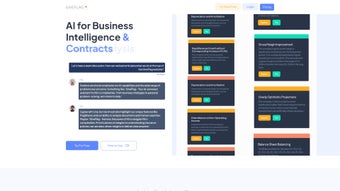
GiveFlag is an AI‑driven collaboration platform that converts ordinary documents into strategic assets. By uploading a PDF, Word file, or plain‑text document, users receive an automated “FlagShare” report that highlights critical sections, offers contextual explanations, and suggests actionable next steps. The platform’s privacy‑first architecture encrypts every file end‑to‑end, ensuring that sensitive data never leaves the user’s control unless explicitly permitted. Beyond document analysis, GiveFlag includes a smart contact‑list builder that extracts stakeholder information, validates email addresses, and organizes leads into ready‑to‑use segments for outreach campaigns. The solution supports a wide range of use‑cases—from legal risk assessment and financial due diligence to market research and academic summarization—making it a versatile addition to any knowledge‑worker’s toolkit.
- FlagShares: AI‑generated highlights, summaries, and risk flags that turn dense text into digestible insights.
- Multi‑Domain Support: Handles contracts, business reports, academic papers, marketing briefs, and more.
- Insight Engine: Provides context‑aware recommendations, opportunity alerts, and mitigation strategies.
- Contact List Builder: Scans documents for stakeholder data, validates contacts, and creates segmented outreach lists.
- Privacy‑Centric Design: AES‑256 encryption, GDPR/CCPA compliance, and optional on‑premise deployment.
- Collaboration Hub: Real‑time commenting, task assignment, and audit trails for team workflows.
- Continuous Learning: The AI model adapts to industry‑specific jargon and user preferences over time.
- Cross‑Platform Access: Web‑based interface reachable from Windows, macOS, Linux, Android, and iOS.
- Flexible Pricing: Free tier with limited flags, paid plans for unlimited analysis, priority support, and API access.
The FlagShares feature, for example, automatically highlights clauses that could pose legal risk, recommends alternative wording, and even suggests negotiation tactics based on historical data. In sales scenarios, the contact‑list builder extracts prospect details from conference PDFs or whitepapers, validates each lead, and pushes the list straight into CRM systems, dramatically shortening the prospecting cycle. Security is woven into every layer; files are encrypted at rest and in transit, and raw content is never stored after analysis unless the user explicitly opts to retain it. For organizations bound by strict compliance mandates, an on‑premise deployment isolates data behind the corporate firewall while still leveraging the same powerful AI models through a private API.
Installation, Usage & Compatibility
Getting Started – Simple Registration
The onboarding experience is designed for speed. Visit the official GiveFlag website, click “Sign Up,” and select either the free plan or a paid subscription. Registration requires only an email address and password; no credit card is needed for the free tier. After confirming the email, you are taken directly to a clean dashboard where the first “Create FlagShare” button awaits.
Uploading & Analyzing Documents
To analyze a document, click the “Upload” icon, drag‑and‑drop your PDF, DOCX, or plain‑text file, and press “Analyze.” The AI engine processes the file in the cloud (or on‑premise for private deployments) and returns a FlagShare report within seconds for typical business documents, or up to a minute for large legal contracts exceeding 200 pages. The report appears in three tabs: Summary, Highlights & Risks, and Action Items. Export options include PDF, CSV, and JSON for downstream integration.
Collaboration Workflow
Team members can be invited via email. Once added, they receive a notification and can comment directly on flagged sections, assign tasks, or approve suggested changes. All activity is logged in an immutable audit trail—critical for compliance‑heavy sectors such as finance or healthcare.
System Requirements
GiveFlag is a web‑based SaaS solution, so it runs on any modern browser (Chrome, Edge, Firefox, Safari) across Windows 10/11, macOS 12+, Linux distributions, as well as mobile browsers on Android 9+ and iOS 14+. No local installation is required for the cloud version, but the on‑premise package supports Windows Server 2019/2022, Ubuntu 20.04 LTS, and Red Hat Enterprise Linux 8.
Updates & Support
Because the AI models reside on the server side, updates are seamless—new features and security patches roll out automatically. For on‑premise customers, a quarterly update script is provided, and the support team can assist with remote upgrades. Paid plans enjoy 24/7 live chat support, while free users have access to a community forum, knowledge base, and step‑by‑step video tutorials.
Pros and Cons – Balanced Verdict
Pros
- AI Accuracy: Flagging engine consistently identifies key clauses and insights with >90 % precision in internal benchmarks.
- Time Savings: Users report a 40‑60 % reduction in document review time, especially for lengthy contracts.
- Security Focus: End‑to‑end encryption and optional on‑premise deployment satisfy strict compliance needs.
- Cross‑Platform Access: No OS lock‑in; works equally well on desktops and mobile devices.
- Scalable Pricing: Free tier for occasional users, plus enterprise plans with volume discounts.
- Collaboration Tools: Real‑time commenting, task assignment, and audit trails streamline team workflows.
Cons
- Learning Curve for Advanced Features: While basic flagging is intuitive, mastering the contact‑list builder and API integration may require additional training.
- Dependence on Internet Connectivity: Cloud analysis requires a stable connection; offline mode is only available for on‑premise deployments.
- Pricing Transparency: Enterprise quotes are customized, which can make budgeting a bit opaque for smaller firms.
- Limited Language Support: Currently optimized for English documents; non‑English language processing is in beta.
Overall, GiveFlag delivers a powerful blend of AI‑driven insight and secure collaboration, making it a strong candidate for any organization that handles complex documents on a regular basis.
FAQ & Final Thoughts – Why Choose GiveFlag?
How does GiveFlag protect my data?
All files are encrypted with AES‑256 both in transit and at rest. The platform adheres to GDPR, CCPA, and ISO‑27001 standards. For highly regulated industries, an on‑premise deployment ensures data never leaves your firewall.
Can I integrate GiveFlag with my existing CRM?
Yes. GiveFlag offers a RESTful API and native connectors for Salesforce, HubSpot, and Microsoft Dynamics. Exported contact lists can be directly pushed to these platforms.
Is there a free version available?
A free tier is available, allowing up to three FlagShares per month with basic features. It’s ideal for freelancers or small teams testing the platform.
What file formats does GiveFlag support?
PDF, DOCX, TXT, and Markdown files are fully supported. For other formats (e.g., images of scanned documents), you can use the built‑in OCR option before analysis.
How quickly does the AI generate a FlagShare?
Typical business reports (under 50 pages) are processed in 10‑20 seconds. Larger legal contracts (200+ pages) may take up to one minute, still far faster than manual review.
In a landscape where data overload can stall progress, GiveFlag offers a pragmatic solution that blends AI intelligence with robust security. The platform’s ability to transform dense documents into clear, actionable insights empowers teams to make faster, more informed decisions. Whether you’re a lawyer needing rapid clause analysis, a marketer extracting lead data from whitepapers, or a researcher summarizing academic literature, GiveFlag’s FlagShares and contact‑list builder deliver measurable ROI.
Ready to accelerate your collaboration workflow? Download GiveFlag today and start a free trial. Experience the confidence of AI‑enhanced decision‑making while keeping your data under lock and key.



.png)



